

'%3E%3Cpath d='M0,0 v30 h60 v-30 z' fill='%23012169'/%3E%3Cpath d='M0,0 L60,30 M60,0 L0,30' stroke='%23fff' stroke-width='6'/%3E%3Cpath d='M0,0 L60,30 M60,0 L0,30' clip-path='url(%23t)' stroke='%23C8102E' stroke-width='4'/%3E%3Cpath d='M30,0 v30 M0,15 h60' stroke='%23fff' stroke-width='10'/%3E%3Cpath d='M30,0 v30 M0,15 h60' stroke='%23C8102E' stroke-width='6'/%3E%3C/g%3E%3C/svg%3E)

What is card sharing in simple terms
Definition and basic principle
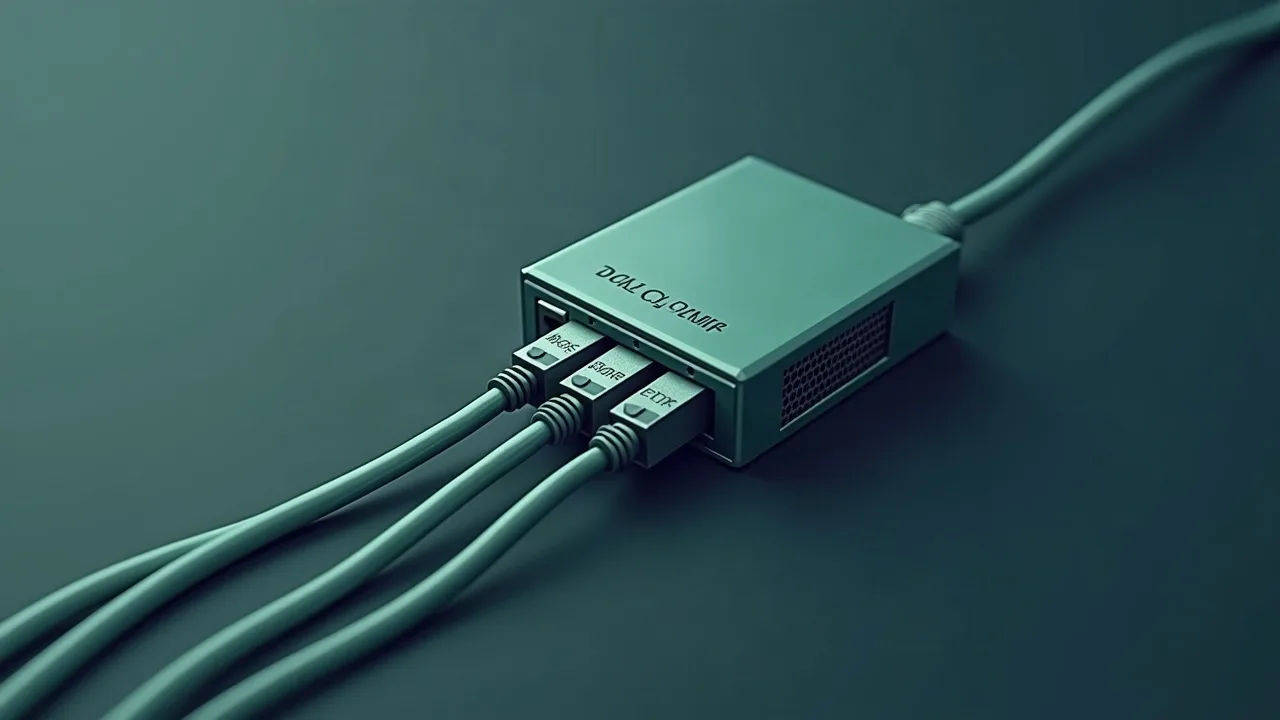
What iscard sharing — it is a network exchange of control words (Control Words, CW) between a server with a smart card and client receivers over an IP network. The card is in one place, while its computational resource is used by several devices simultaneously. No video stream is transmitted over the network — only short packets with decryption keys.
The scheme is simple: the server holds the actual smart card in the receiver slot or CI module, receives requests from clients, decrypts them using the card, and sends back the ready key. The client uses this key to unlock the video that it received from the satellite dish.
Why is key exchange over the network needed
Satellite operators encrypt broadcasts through conditional access systems (CAS). Without an active subscription and card, the receiver receives the transport stream but cannot play it — the picture is black or a message about insufficient rights is displayed. Card sharing allows one card to serve multiple reception points within one household or technical installation.
From a practical point of view, this is relevant where several receivers in different rooms need to watch the same package of channels, and buying multiple subscriptions is impractical.
The role of the server and client in the scheme
The server is a device with a physical smart card and the programCCcam or OScam. It listens for incoming connections on a specific port, accepts ECM requests, and returns CW. The client is a receiver without a card that connects to the server via a protocol and receives keys in real-time. Roles can be combined: one device simultaneously holds the card and serves other clients.
How card sharing works at the protocol level
ECM → CW cycle: what happens when switching channels
When the receiver switches to an encrypted channel, it extracts ECM (Entitlement Control Message) packets from the transport stream. These are encrypted structures that contain the control word — but only the card with the appropriate subscription can read it. The receiver sends the ECM to the server, the server sends it to the card, the card decrypts it and returns the CW back.
CW is an 8-byte key (two of 8 bytes: odd and even). The receiver feeds it into the descrambler, and the video starts playing. This entire cycle must fit within fractions of a second; otherwise, the picture freezes at the moment of updating.
Encoding systems (CAS) and their influence
Different operators use different CAS: Nagravision, Viaccess, Irdeto, Conax, BISS, Cryptoworks. The card only works with the CAS for which it was issued. OScam can automatically determine the CAS by CAID (conditional access system identifier) and direct ECM to the appropriate reader. CCcam does the same but is less flexible in configuring routing.
If there are several cards from different operators on the server, OScam distributes requests by CAID without manual priority settings — with a properly filledoscam.server.
Decoding delay and response time (zapping time)
Zapping time is the time from switching channels to the appearance of the picture. It consists of network delay (ping to the server), processing time of ECM by the card, and time to transmit CW back. With a ping of up to 30 ms, switching is imperceptible. At 100 ms and above, a pause is already felt. With 200+ ms and a congested line, freezes may occur during viewing — especially when changing CW every 10 seconds.
That is why the server with the card must be geographically close to the client or have a stable low-latency channel. CDN and proxies do not help here — the round-trip delay is what matters.
Protocols CCcam and OScam: what is the difference
CCcam: proprietary protocol and port 12000
CCcam is a closed protocol originally developed as firmware for receivers. The standard port is12000. The configuration is minimalist: the file/etc/CCcam.cfg or/usr/keys/CCcam.cfg depending on the image. The connection string to the server looks like this:
C: hostname 12000 username passwordThe line for granting rights to other clients:
F: username passwordThe syntax is simple, the file is read from top to bottom. There is no web interface — everything is done through text configs and telnet logs. For diagnostics, you need to check the output throughtail -f /tmp/CCcam.log or a similar path.
OScam: open emulator and flexible configuration
OScam (Open Source Conditional Access Module) is another level. Open source code, active community, support for dozens of CAS and protocols. The configuration is split into several files in the directory/etc/oscam/ or/etc/tuxbox/config/oscam/:
oscam.conf— main parameters, including the web interfaceoscam.server— description of servers and readers (cards)oscam.user— client accountsoscam.services— binding services to users
The OScam web interface runs on port8888 by default. It can be changed in the section[webif] of theoscam.conf:
[webif]
httpport = 8888
httpuser = admin
httppwd = secret
In the browser, you openhttp://192.168.1.100:8888 — and see the live status of each reader, active connections, ECM/CW statistics in real time. This is really convenient for diagnostics.
When to use newcamd, mgcamd, and cccam simultaneously
OScam can listen to multiple protocols simultaneously. For example, distribute via cccam on port 12000, accept connections via newcamd on port 15000, and at the same time be a cs378x client to a higher server. All this is configured inoscam.conf through the sections[cs357x],[cs378x],[newcamd].
newcamd is an old but reliable protocol. The port is set in the config, there is no standard — each server has its own. mgcamd is another client emulator, often used on old receivers without Enigma2. On modern installations, OScam most often works as a single point of control.
Comparison of stability and CPU load
Historically, CCcam consumes more memory and processor power with a large number of clients. On weak hardware like the old Dreambox DM500, this was noticeable. OScam is written more efficiently, handles the load better, and consumes fewer resources with the same functionality.
In terms of stability, OScam wins due to active development and patches. CCcam is essentially not updated — existing versions work, but no one fixes the bugs. For a new deployment in 2026, OScam is the obvious choice.
| Parameter | CCcam | OScam |
|---|---|---|
| Source code | Closed | Open |
| Default port | 12000 | Configurable |
| Web interface | No | Port 8888 |
| Protocol support | CCcam | CCcam, newcamd, cs378x, cs357x |
| CPU load | Higher | Lower |
| Active support | No | Yes |
What is needed to set up the server and client
Hardware: receiver on Enigma2 and card reader
Minimum — receiver on Enigma2 (Linux image: OpenATV, OpenPLi, DreamElite, and similar), slot for smart card or external card reader, stable internet connection. On the client side, a dish with a satellite converter is mandatory — without the incoming transport stream, ECM simply cannot be obtained.
If the receiver is used only as a client (without its own card), a card is not needed. It is enough to install CCcam or OScam and enter a C-line to connect to the server.
Configuration paths: /etc/tuxbox/config/ and /usr/keys/
Paths depend on the Enigma2 image. The most common:
- CCcam:
/etc/CCcam.cfg,/usr/keys/CCcam.cfg,/etc/tuxbox/config/CCcam.cfg - OScam:
/etc/oscam/,/etc/tuxbox/config/oscam/,/usr/keys/oscam/
Before editing, it is worth checking which path the specific image uses — throughps aux | grep oscam you can see which-c (path to the configs) the process was started with.
The basic syntax of the C-line for connecting a client
The C-line is what the provider gives to the client. The format for CCcam:
C: hostname 12000 username passwordWherehostname — IP or domain of the server,12000 — port (can be different),username andpassword — credentials. The line is inserted intoCCcam.cfg of the client. After saving, you need to restart CCcam with the command:
/etc/init.d/CCcam restartIn OScam on the client side, a block is added inoscam.server:
[reader]
label = myserver
protocol = cccam
device = hostname,12000
user = username
password = password
caid = 0500,1800
The parametercaid can be omitted — OScam will determine it itself, but with an explicit CAID it is faster.
Checking the connection and reading logs
For CCcam, we check the log via telnet: connect to the receiver on port 16000 (if CCcam-telnet is enabled) or read the log file. In OScam, it is simpler — we open the web interface athttp://<ip_receiver>:8888, the Readers tab shows the status of each server: Connected / Disconnected, response time, number of successful decodings.
If the connection is established but the channel does not open — we check the Services tab: it shows whether the user has access to a specific CAID and SID. This quickly narrows down the problems.
How to choose a connection provider: criteria
Stability of uptime and backup lines
The first question to ask is whether there is a backup server. If the main line goes down, decoding is interrupted. An adequate provider maintains at least two servers with automatic failover. A claimed uptime of 99.9% without redundancy is a marketing figure, not a technical guarantee.
OScam supports multiple lines inoscam.server with the same CAID — you can specify the main and backup server, OScam will switch automatically when the main one is unavailable.
Response time and ping to the server
Before purchasing, it makes sense to check the ping to the server host usingping hostname. Anything above 80–100 ms is a potential problem during active zapping. Ideally, it should be up to 30 ms. A server in the same region will predictably have less latency than a server on another continent, even with a fast connection.
Another point is the stability of the ping, not just its average value. A jitter of 50 ms is worse than stable 60 ms. This can be checked throughping -c 100 hostname and analyzing the spread of values.
Transparency regarding supported CAS and protocols
A normal provider clearly indicates the list of supported CAIDs, available protocols (CCcam, newcamd, cs378x), and supported channel packages. If this information is missing — it's a red flag. Questions to ask before payment:
- Which CAIDs are supported?
- What protocol is used and on which port?
- Is there a limit on the number of simultaneous connections?
- What is the maximum allowable depth of reshare?
- Is there a trial period or demo access?
Reshare is when the client starts sharing the received CW further. Some providers block this at the config level, while others limit the depth. If reshare is not limited, the line quickly becomes overloaded.
Common problems and what doesn't work
The channel does not open, although the line is active
Connection established, OScam shows Connected, but the channel is black or hangs with a lock. The first thing to check is the CAID match. In the OScam web interface on the Users tab, you can see which CAIDs are available to a specific user. If the CAID of the desired channel is not there — the server simply does not have a card for this CAS.
The second reason is a conflict of several active C-lines for one CAID. If the client's config has two lines for the same channel from different servers, OScam tries to use both, receives different CWs, and gets confused. The solution is to set an explicit priority through thepriority parameter inoscam.server or disable one of the lines.
Long channel switching
If zapping takes 3–5 seconds — the problem is almost always with latency. Check in OScam for the average ECM time (the ECMtime column in the Readers section). If it's 800+ ms — high ping or overloaded server. Under normal operation, ECMtime should be around 200–400 ms.
A large reshare depth also kills speed: CW goes through a chain of intermediaries, each adding latency. If you are an intermediate link yourself, limit the reshare-depth in OScam settings to 1 or 0.
Disconnections and connection instability
Periodic disconnections followed by recovery are a typical symptom of several problems at once. The first suspect is a key change by the provider. When the operator changes encryption keys, the card on the server must receive an update — until that moment, CWs are not decrypted. This is not a configuration error, but a system feature.
The second point is the discrepancy in time zones between the server and the client. In the OScam logs, the time is taken from the system clock of the device. If the server is in UTC+3 and the client is in UTC+1 — the log entries will be shifted by two hours, making it difficult to correlate events. This can be fixed by synchronizing via NTP on both devices.
Another situation that is often overlooked: a local card and a network line for the same CAID conflict in priority. OScam by default prefers the local reader, but if the card is slow or has issues, requests hang. You need to explicitly set the order throughweight orcacheex depending on the version of OScam.
How does card sharing differ from IPTV?
IPTV transmits a ready video stream over the network — the receiver or application simply plays what it receives from the provider's server. Card sharing works differently: only control words (CW) are transmitted over the network, while the satellite signal is received by the receiver from the dish independently. Without a satellite dish, card sharing does not work — ECM packets simply cannot be obtained.
What port does CCcam use by default?
The standard CCcam port is 12000. It is specified in the C-line when connecting the client and in the server configuration. The OScam web interface by default operates on port 8888, which can be changed in the section[webif] fileoscam.conf. The newcamd port is not standardized anywhere — each server sets it itself.
What is better for a beginner — CCcam or OScam?
CCcam is simpler in syntax — one file, several lines, and it all works. It is well-suited if you need to quickly connect to one server. OScam is more powerful: flexible routing by CAID, web interface for diagnostics, support for multiple protocols simultaneously. Many ultimately install OScam as a base and connect CCcam clients to it — the best of both options.
Why does the channel take a long time to open?
The main reasons are high ping to the server, overloaded line, or large reshare depth. Check the ECMtime in the OScam web interface: the norm is up to 400 ms, a problem is from 800 ms. It is also worth checking if several active lines for one CAID are conflicting — this leads to delays and freezes when zapping.
Is a satellite dish needed for card sharing?
Yes, it is essential. Card sharing only decrypts the signal, providing control words — the transport stream from the satellite is not transmitted anywhere. Without a dish and converter (LNB), the receiver will not receive ECM packets, and there will be nothing to decrypt.
What is a control word (CW) and how often does it change?
CW (Control Word) is an 8-byte key used to descramble the video stream in real-time. In most encoding systems, the CW is updated approximately every 10 seconds. That is why a stable and fast line to the server is important: if the new CW does not arrive before the change, the picture freezes for a second or several. Understanding this cycle makes it easier to diagnose periodic freezes.
Practical checklist for smooth viewing
Even the best CCCam or OSCam line needs two or three simple preparations. Update your receiver firmware, reset the ECM cache once a week and keep 15–20% free space on the USB stick or internal flash so that the reader can store keys without delays.
When tuning a dish, aim for MER/BER reserve: a two‑degree offset or a loose F‑connector often causes the “freezing” that users blame on cardsharing. Keep a short patch cord to test alternative routers, and save two profiles in OSCam — one for TCP, one for UDP — so you can switch instantly if your ISP starts filtering a protocol.
Utgard.tv monitors each hub 24/7, but you can speed up diagnostics by keeping a short log of your receiver actions. Note the time when you changed the channel, which CAID was active and whether you used Wi‑Fi or Ethernet. This tiny “journal” helps engineers reproduce your environment in the lab and return with a solution in minutes instead of hours.
- Keep two line slots enabled: if the first server hits a maintenance window, the second one instantly takes over without re-entering credentials.
- Run a monthly speed and latency test. Stable 1–2 Mbps with ping <80 ms is enough for SD/HD, but if jitter exceeds 20 ms, switch the router to wired mode.
- Save the Utgard.tv status page and Telegram bot @utgard_sharing_bot to bookmarks — they publish maintenance notices before SEMrush or uptime monitors raise alerts.